Sign up: Designing Enterprise UI Directly on Production Code

What are best AI tools? Take the State of AI survey

Builder.io
Builder.io
Contact sales

Sign up: Designing Enterprise UI Directly on Production Code

What are best AI tools? Take the State of AI survey

Builder.io
Builder.io
< Back to blog

Web Development

A Better Way to Work With Number and Date Inputs in JavaScript
January 16, 2023

Written By Steve Sewell

valueAsNumber

You may have written some code like this before:

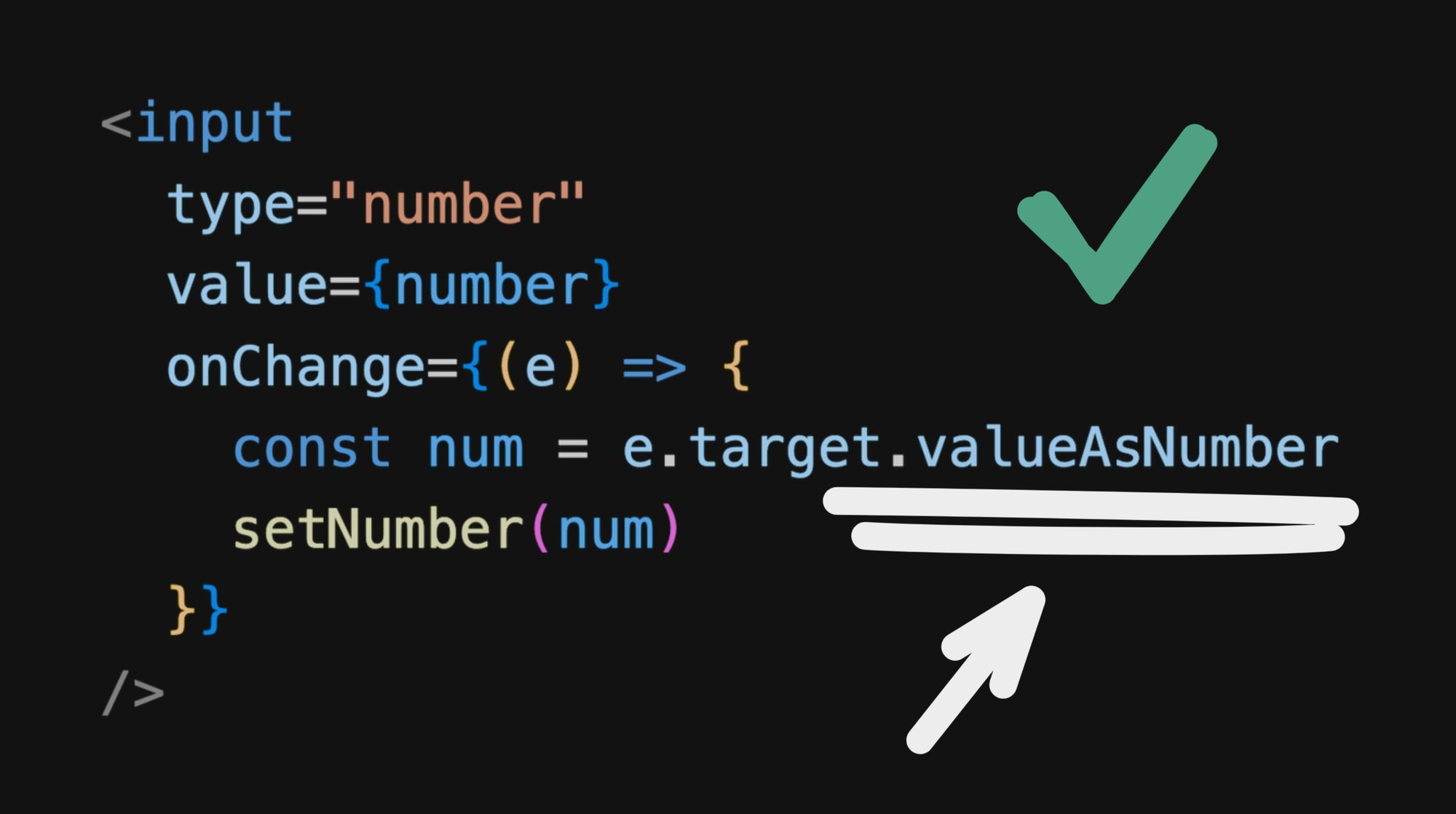
This is fine and dandy, but there is actually a better way we can be reading the number value.

I’m talking about this part:

That’s right. Since all the way back in the days of IE10 we’ve had a better way to get and set number values:

So a nicer solution to the above could instead look like:

And of course, you don’t need React to use this. This is just standard JavaScript that works with any framework.

You could likewise query a DOM node and use it as well:

And, importantly, you can write to it as well!

A minor gotcha

The type of valuseAsNumber will always be a number. So this means that if there is no current value set for the input, you will get NaN as the value.

And don’t forget…

Yeah, one of those little JavaScript fun parts. So be sure to check if your valueAsNumber is NaN before writing it to places that expect actual numbers

valueAsDate

But wait, there’s more!

For date inputs, we also get a handy valueAsDate property as well:

Beautiful.

And for those who don’t use React (or Qwik, which looks like React but has much better performance), you can of course do this with any plain ole HTML and JavaScript too:

And, as expected, you can write to it as well

No gotchas this time

Thankfully, for valueAsDate, when the input is empty, we simply get null.

So you can simply check for if the value is truthy

Browser Support

Yeah, this is not a new thing at all. Even if this may be your first time learning about these properties, they’ve existed for many years, even since the dinosaur days of IE 10.

Screenshot of the browser support table from the MDN page linked directly below this image

Source: MDN

Conclusion

Now that we know how, we actually treat number and date inputs as proper number and date values, using the valueAsNumber and valueAsDate properties, respectively.

Share

Twitter
LinkedIn
Facebook

Generate high quality code that uses your components & design tokens.

Try it nowGet a demo

Continue Reading
AI8 MIN
Subagents: When and How to Use Them
WRITTEN BY Alice Moore
February 3, 2026
AI9 MIN
Best LLMs for coding in 2026
WRITTEN BY Matt Abrams
January 28, 2026
AI8 MIN
Lovable Alternatives for 2026
WRITTEN BY Alice Moore
January 27, 2026

Product

Visual CMS

Theme Studio for Shopify

Sign up

Login

Featured Integrations

React

Angular

Next.js

Gatsby

Resources

User Guides

Developer Docs

Forum

Blog

Github

Get In Touch

Chat With Us

Twitter

Linkedin

Careers

© 2020 Builder.io, Inc.

Security

Privacy Policy

Terms of Service

Get the latest from Builder.io

By submitting, you agree to our Privacy Policy

  • Fusion

  • Publish

  • Product Updates

  • Design to Code

  • Headless CMS

    Multi-Brand CMS

  • Landing Pages

  • Web Apps

  • Prototypes

  • Marketing Sites

  • Headless Commerce

  • Documentation

  • Fusion Docs

  • Publish Docs

  • Figma AI to Production Code

  • AI Prototyping for Product Managers

  • Figma to Storybook

  • Figma to App Converter

  • Blog

  • Webinars

  • Guides

  • Case Studies

  • Community Forum

  • Partners

  • Affiliate Program

  • CMS Integrations

  • CMS Blueprints

  • Glossary

  • Figma to Code Guide

  • Headless CMS Guide

  • Headless Commerce Guide

  • Composable DXP Guide

  • About

  • News

  • Careers

  • Contact Sales

Security

Privacy Policy

SaaS Terms

Trust Center

Cookie Preferences

YouTube icon
Github icon
Blsky Icon
Twitter "X" icon
LinkedIn icon
Feed Icon