Mobile Development
Introducing Native Mobile SDKs: Drag-And-Drop For Native Apps
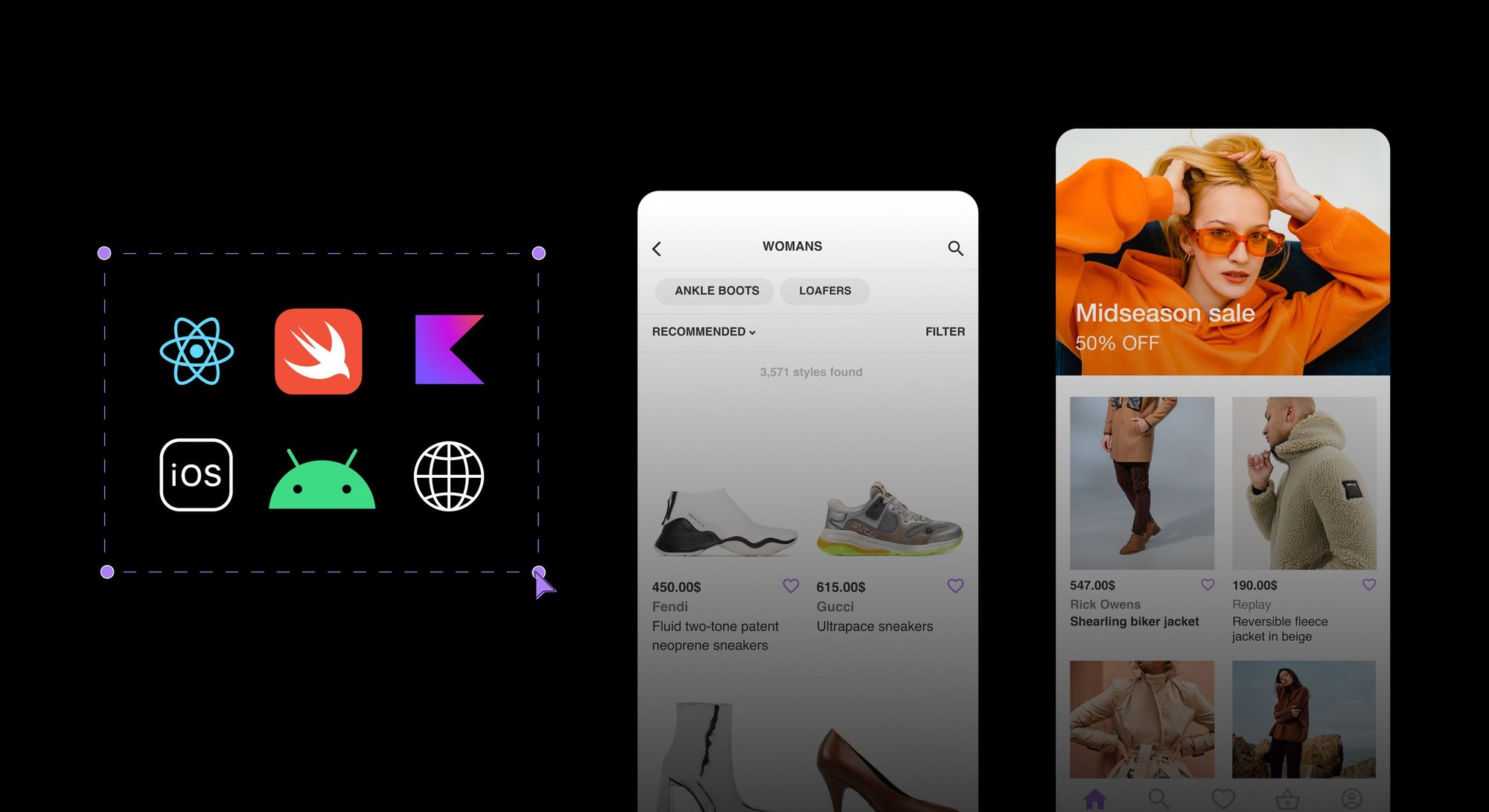


The first headless CMS with visual editing capabilities for native mobile apps
One of the most requested features from Builder customers has been making it as easy to update content on their native mobile apps as on their website. Our platform has always offered the same content-as-data models as a traditional headless CMS. However, teams managing content found that their iOS and Android development teams were still spending a significant portion of their valuable time updating content across their mobile applications.
More than a year ago, we added to our mobile CMS platform capabilities by releasing the React Native SDK, allowing content creators and marketing team members in companies such as Afterpay to drag and drop to create experiences in React Native apps. With the release of Native Mobile SDKs, Builder is the first headless CMS to give non-developers the power to create and ship dynamic content with structured content-as-data models and with a full drag-and-drop editing experience, each completely API-first.
Native Mobile SDK features
Visually drag-and-drop to create screens
Using Builder Mobile SDKs, anyone can drag and drop native components, including text, images, buttons, and more, without submitting new app code. While marketers drag and drop to compose a front-end digital experience, Builder generates native code and shows a live preview in a native emulator inside the Builder Visual Editor. Whatever you can build visually, you can preview in real-time and publish in seconds.
Bring your own components and integrations
Most teams create reusable components to deliver custom navigation, backend data, gestures, and other input types to their app. Like in the Builder SDKs for web frameworks and React Native, developers can now register custom Swift, SwiftUI, and Kotlin components with Builder so anyone can create experiences by dragging and dropping custom components.
Intuitive Content API
Whether you deliver visually-created customer experiences or mobile content as data to your mobile app, the native mobile SDKs make it easier for developers to integrate and iterate native user experiences for mobile devices with content in the Builder headless content management system (CMS).
Get started with Native Mobile SDKs
Discover how to optimize your mobile content creation workflow with Builder native mobile SDKs by trying the Swift SDK in beta today or contacting us to get access to the Kotlin SDK.

Tip: Visit our Swift hub to learn more.
Share