AI
How 270 Developers, Designers, and PMs Went from PRD to Working App in 60 Minutes
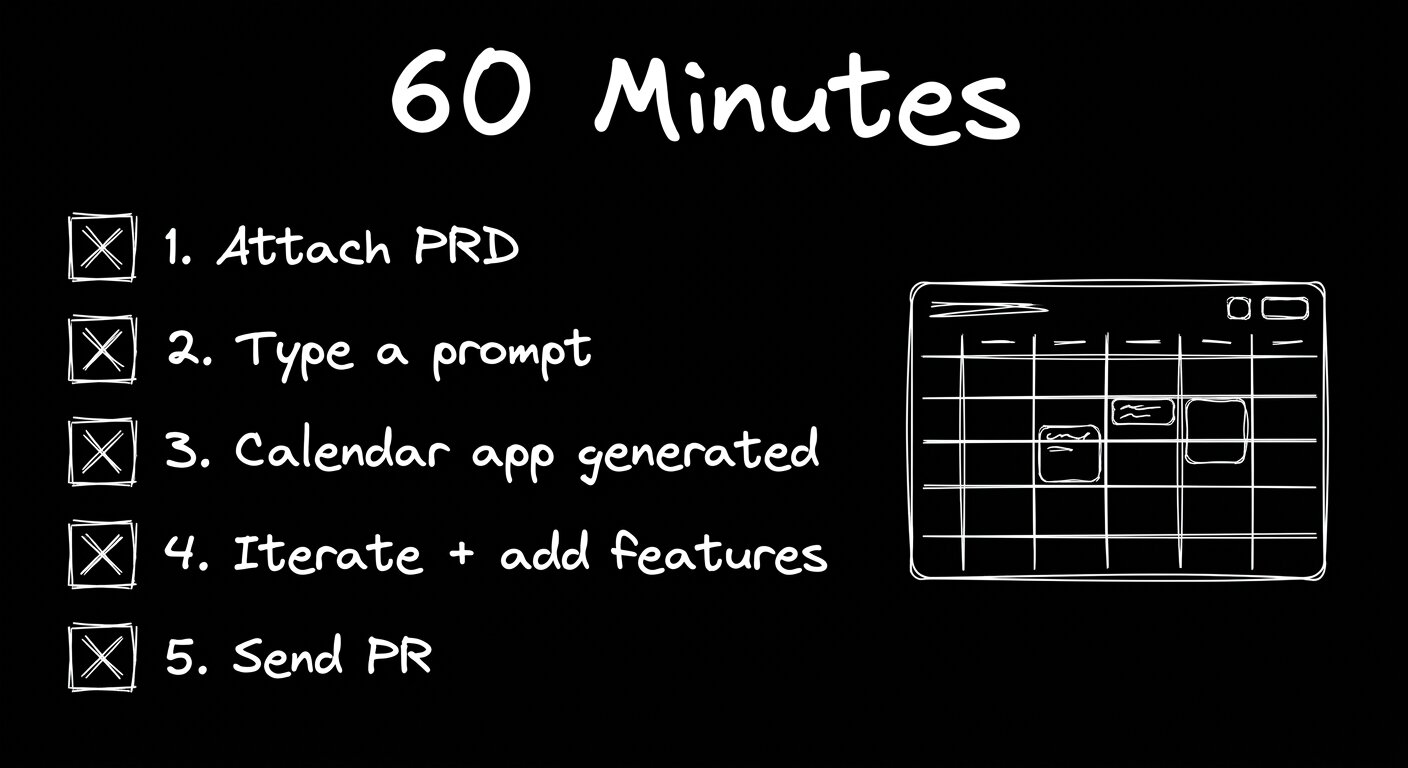


At a recent live Builder workshop, 270 developers, designers, and PMs built a working calendar app from a one-page PRD. They started with a blank project, attached a PDF, typed a prompt, and watched Builder generate a functional calendar using Google's Material Design component library. Sixty minutes later, most had added features they hadn't planned for:
- Natural language event creation
- An agenda view
- Dark mode with a toggle
- Drag-and-drop rescheduling
None of them wrote a line of CSS.
The workshop demonstrated what the workflow looks like when the whole team builds on the same codebase, using the same design system, with review and approval built into every step before a PR reaches engineering. Each attendee connected to a shared Builder project pre-configured with Material Design 3 components and tokens, attached a product requirements doc, entered a single prompt, and Builder created a feature branch with a working app.
From there, they iterated in interact mode, asked the agent to suggest high-impact additions from the design system, picked one, and had it implemented. A design-minded attendee adjusted header colors in the visual editor and told the agent to use design tokens rather than the specific hex she'd selected in the style panel. Someone else added a Google Meet integration. Several people built out responsive calendar views.

When they were ready to hand off, they clicked "Send PR." Builder generated a pull request with a full summary of every change, organized by commit. Engineers on the call could pull the branch name into their local environment and keep working, or leave a comment in the PR for the Builder bot to action, which pushed a new commit in seconds.
That last part matters for engineering leaders. The PR your team receives has already been through product review, design QA, and functional testing by the time it lands. Developers read the diff, check code quality, and merge. They spend their time on decisions that require engineering judgment, not on translating a Figma file into components that already exist in the design system.
If you're evaluating this workflow for your team:
- Design system completeness determines output quality. Builder's code generation depends directly on how well your component library is indexed. Teams with complete, well-documented design systems get production-ready output. Teams starting from scratch get something closer to a prototype.
- Prototypes built this way tend to stay in the codebase. 80% of the prototypes Builder's internal team creates are merged into production PRs. The calendar app attendees built could have been merged straight into a pull request on a real repo.
- The review burden shifts earlier. Because QA, design, and product all validate against a live preview URL before engineering touches anything, changes get caught when they're cheap to fix.
The real takeaway from 270 people building in parallel for an hour is that the workflow scales. Product managers, designers, and QA all contributed directly to real code, engineers stayed in review mode, and every change moved through a structured approval process before it touched a PR. That's not a demo condition. It's the same workflow your team would run in production, just compressed into a single session.
Watch the full workshop recording to see the build from prompt to PR.
Download the idea-to-production guide to map the workflow to your team's specific roles and tools.
Share