Design to Code
Convert Figma to Next.js using AI
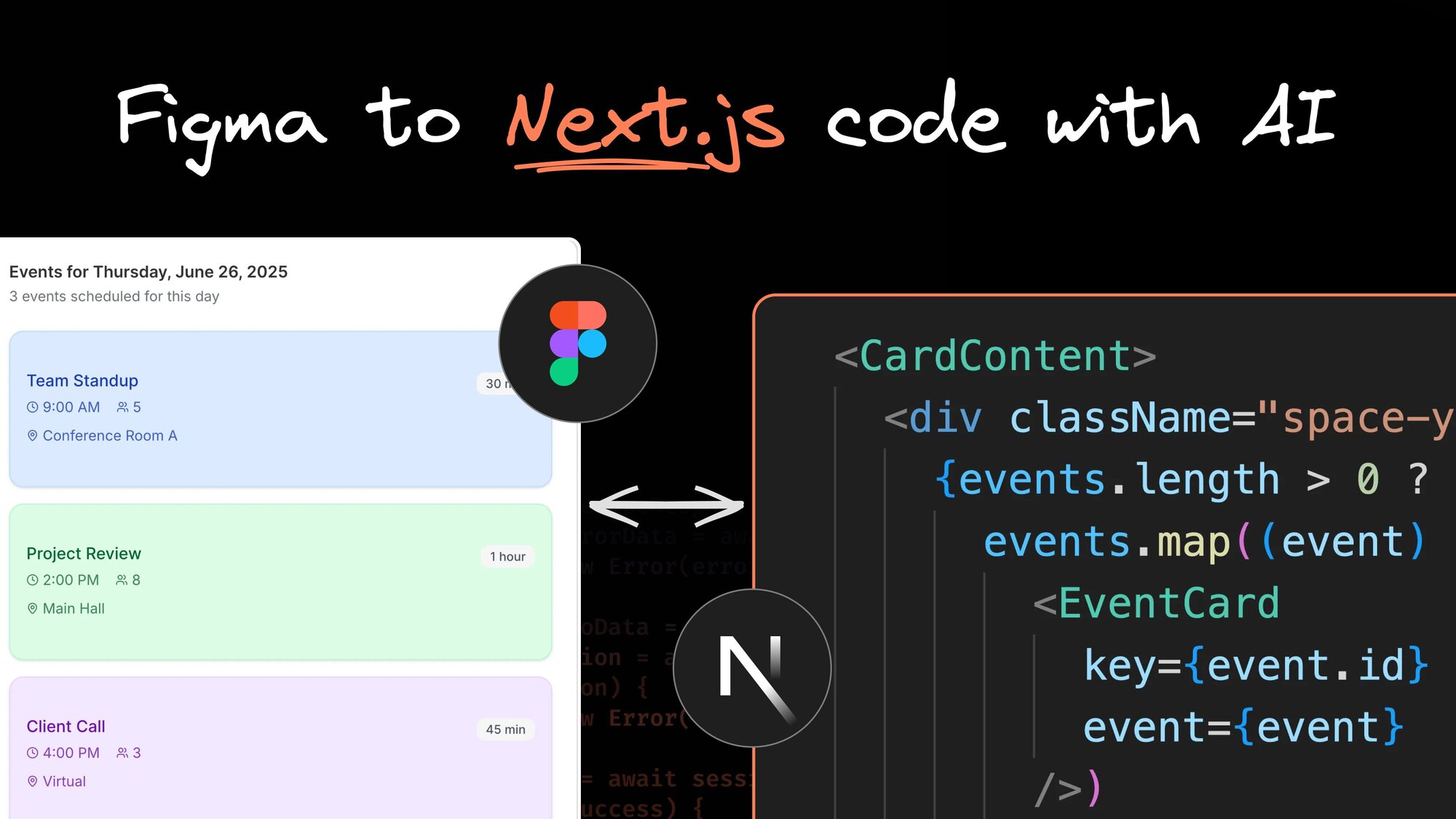


Converting Figma designs into functional Next.js applications is a common and frustrating step in modern web development. The concept of turning a design into code might seem straightforward. But the reality involves navigating complex Next.js patterns, managing component hierarchies, and ensuring the final product actually matches the original vision.
Traditional design-to-code workflows often break down when teams encounter the gap between Figma's visual language and Next.js's architectural requirements (let alone new framework patterns like React Server Components). Simple UI elements become coding challenges, and advanced features like server-side rendering and client-side hydration add layers of complexity that design tools simply can't anticipate.
Stop translating Figma pixels into Next.js code by hand. Fusion does it for you — understanding your design system, generating production-ready components, and shipping in minutes instead of days.
What is Fusion?
Fusion is the first visual AI agent that can autonomously build and edit enterprise-scale Next.js applications. It integrates directly with your existing codebase, understands your design systems, and creates production-ready code that works with your current architecture. For instance, Fusion will match your preferred Next.js routing patterns, whether you’re using the old Pages router or the newer App router.
Available as both a browser-based platform and a plugin for popular IDEs like Cursor, Windsurf, and VS Code, Fusion works within your established development environment rather than forcing you into a separate workflow.
Convert Figma to Next.js code with Fusion
Fusion enables your entire team to work with Next.js code, import designs and styles from Figma files, and create optimized components that work with client-side or server-side rendering.
Export a Figma design into Next.js code
To convert Figma designs into Next.js code, first export your designs using the Builder.io Figma plugin. Then, attach these designs as context to your Fusion prompt and specify how you want to integrate the design into your Next.js application.
What sets Fusion apart is its ability to generate Next.js-specific code rather than generic markup. It comprehends your existing design system, leverages your current components, and produces scalable code that fits into your project's architecture.
Convert multiple Figma frames into functioning Next.js features
Fusion's capabilities really shine when it comes to converting complex, multi-frame Figma designs. Imagine you've designed a multi-screen user flow in Figma—maybe an onboarding sequence—Fusion can transform all those frames into a single, cohesive Next.js component with full functionality.
There’s no need to build each screen individually and then struggle to connect them together. Fusion recognizes the relationships between multiple Figma designs and builds your intended interactions, all while using your preferred styling approach.
Transform Figma component variants into Shadcn components with props
This feature is essential for maintaining design system consistency across your Next.js application. Imagine you've built a banner component in Figma with multiple variants. Fusion can automatically convert these into a Next.js component with the correct prop structure.
The best part is that Fusion’s generated code will match whatever styling patterns and component libraries you’re already using, whether you’re working with established libraries like Shadcn and Tailwind CSS or your org’s internal design system.
Match design tokens from Figma references
Often, you're not starting from scratch but need to update existing UI components to align with new design directions. Maybe your app needs to match some new brand colors, or you're finally getting around to that design system update. Instead of manually hunting through your CSS files, you can just paste a Figma frame into Fusion and tell it what styles to update.
Type something like "make this dashboard use the colors from this Figma frame," and Fusion will figure out the mapping between your Figma styles and your actual CSS. It's smart enough to preserve your component structure while swapping out colors, spacing, and typography to match your design tokens.
Visually edit Next.js apps with code precision
Nothing frustrates a designer more than seeing a finished product that does not match their high-fidelity designs. Fusion empowers designers to fix these code problems themselves rather than DM an engineer or submit a low-priority ticket. Now, they can click on their components and edit them directly, just like they would edit Figma designs, only now they're working with real code.
Want to adjust that button's border radius? Click and drag. Need more padding on that card? Just grab the handles and resize. You're editing the actual components that will ship to production, so there's no disconnect between what you see and what users get. Hover states, animations, and more all work exactly like they will in the real app.
Safe experimentation with PR workflow
Fusion creates a new git branch for every session, so your main code stays untouched while you fiddle and experiment. When you're happy with what you’ve built, just press the ‘Create a PR’ button and Fusion will take care of the rest.
Your teammates can then review the PR, leave comments inside the diff, and approve it just like they would for a regular feature. They can also open up your work in Fusion and pick up where you left off. In either case, nothing gets merged until properly reviewed, so you can experiment freely without ever endangering your production code.
Getting started with Fusion
Ready to turbocharge your development process? Here's the quick version:
- Hook up your repo: Point Fusion at your GitHub repo (works with React, Next.js, Svelte, Vue, or Angular).
- Drop in your designs: Paste Figma frames, turn multiple frames into carousels, convert component variants into real React components, or use designs as a reference for matching colors and spacing.
- Build stuff: Click around to edit components visually, or use AI prompts to generate new pages, dashboards, and whatever else you need. You can tweak layouts, add features, and move through your project files easily.
- See it live: Watch your changes happen in real-time. Paste Figma designs and see exactly how they'll look in your app.
- Ship it: Happy with what you built? Submit a PR for your team to review. Same workflow as any other code change.
That's it. Now you can convert Figma designs into working Next.js code in minutes instead of weeks. The docs have all the commands and examples you need to get up and running fast.
Check out these other articles on our blog:
Frequently Asked Questions
What is Builder.io Fusion?
Fusion is an AI agent from Builder.io that can autonomously build and edit Next.js applications at enterprise scale. It connects directly to your GitHub repository, understands your existing codebase and design system, and generates production-ready code that fits your architecture — rather than creating standalone components you have to integrate yourself.
How do I convert a Figma design to Next.js code with Fusion?
Start by exporting your design using the Builder.io Figma plugin, then attach the exported design as context in a Fusion prompt and describe how you want it integrated. Fusion generates Next.js-specific code — not generic HTML — and respects your existing component library, routing patterns, and styling conventions.
Does Fusion support both the Next.js App Router and Pages Router?
Yes. Fusion recognizes which routing pattern your project uses and generates code accordingly, whether you're on the newer App Router or the traditional Pages Router.
Can Fusion convert multiple Figma frames into a single Next.js feature?
Yes. Fusion can take an entire multi-screen flow — like an onboarding sequence — and transform all the frames into a single cohesive Next.js component with the intended interactions already wired up. You don't have to build each screen individually and then stitch them together manually.
How does Fusion handle design tokens and Figma styles?
You can paste a Figma frame into Fusion and describe what you want to update — for example, "make this dashboard match the colors from this Figma frame." Fusion maps your Figma styles to your actual CSS, updating colors, spacing, and typography while preserving the existing component structure.
Can Fusion generate components that work with my existing component library, like Shadcn?
Yes. Fusion generates code that matches whatever styling patterns and component libraries you're already using — including Shadcn, Tailwind CSS, or your organization's internal design system. Figma component variants are converted into real React components with the correct prop structure for your stack.
Can designers use Fusion directly, without writing code?
Yes. Fusion includes a visual editor that lets designers click on components and edit them directly — adjusting padding, border radius, spacing, and more — as if working in Figma, but on real production code. Changes are reflected live and apply to the actual components that ship to users.
How does Fusion handle version control and code review?
Every Fusion session creates a new git branch, so your main codebase is never touched during experimentation. When you're ready, Fusion generates a pull request that your team can review, comment on, and approve through a standard code review workflow — nothing merges until it's been reviewed.
Does Fusion work inside my existing code editor?
Yes. In addition to its browser-based platform, Fusion is available as a plugin for Cursor, Windsurf, and VS Code, so you can use it inside your current development environment without switching to a separate tool.
What frameworks does Fusion support besides Next.js?
Fusion works with React, Next.js, Svelte, Vue, and Angular — so the same Figma-to-code workflow applies regardless of which frontend framework your team uses.
Share