AI Tools
Introducing GPT Crawler - Turn Any Site Into a Custom GPT With Just a URL
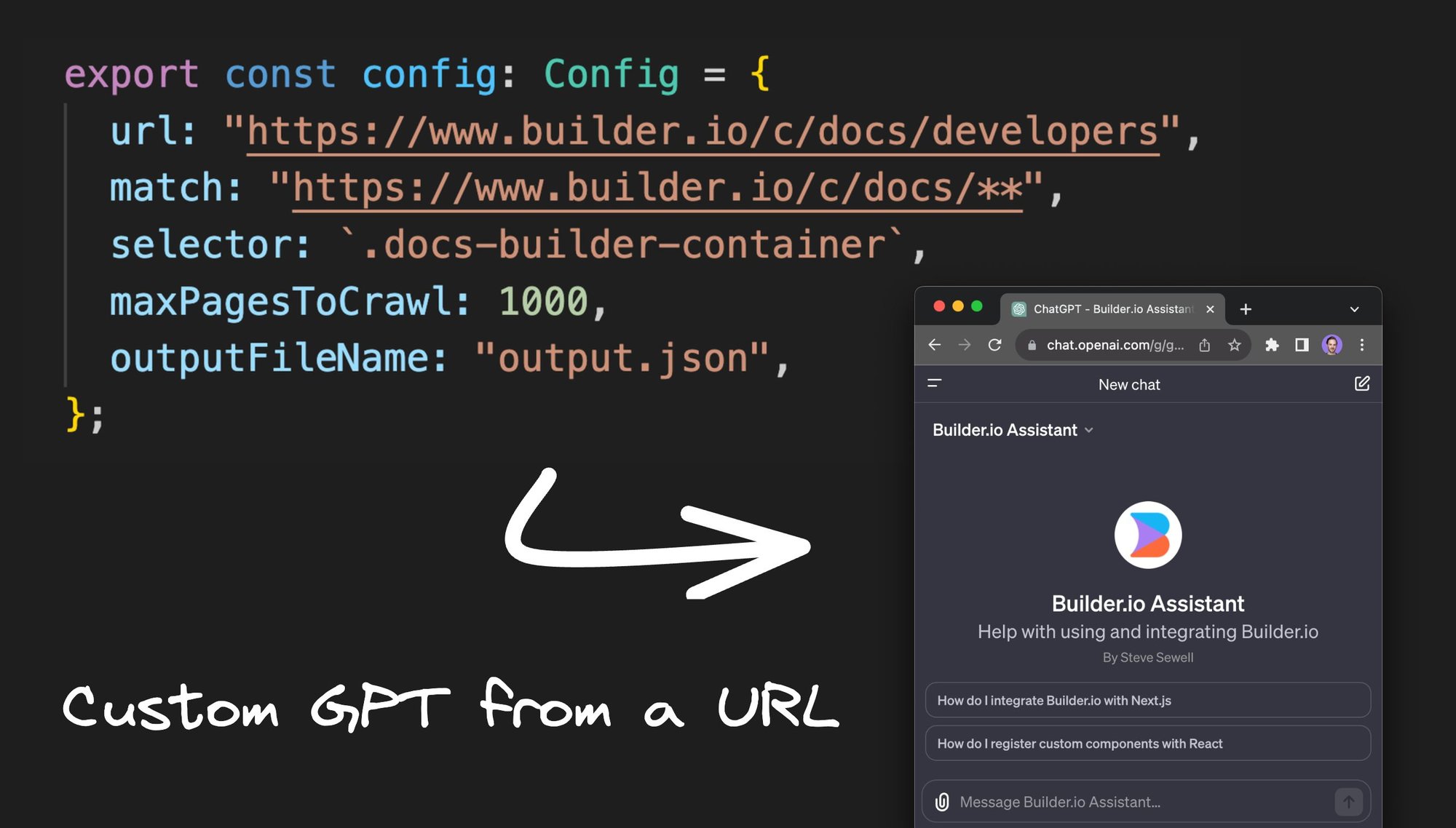


Let's create a custom GPT in just two minutes using a new open-source project called GPT Crawler. This project lets us provide a site URL, which it will crawl and use as the knowledge base for the GPT.
You can either share this GPT or integrate it as a custom assistant into your sites and apps.
Why create a custom GPT from a site
I created my first custom GPT based on the Builder.io docs site, forum, and example projects on github and it can now answer detailed questions with code snippets about integrating Builder.io into your site or app. You can try it here (currently requires a paid ChatGPT plan).
Our hope is that by making our docs site interactive, people can more simply find the answers they are looking for using a chat interface.
And this can help not just with discoverability, saving people time not having to dig through to find the specific docs they need, but also personalize the results, so even the most esoteric questions can be answered.
This method can be applied to virtually anything to create custom bots with up-to-date information from any resource on the web.
Get started with GPT Crawler
First, we'll use this new GPT crawler project that I've just open-sourced.
Clone the repo
To get started, all we need to do is clone the repository, which we can do with a brief git clone command.
Install dependencies
After cloning, I'll cd into the repository and then install the dependencies with NPM install.
Configure the crawler
Next, we open the config.ts file in the code and supply our configuration. Within this file, we specify a base URL as the starting point for the crawl and define the criteria for the links to crawl on subsequent pages. We can also set up a matching pattern; for example, I might want to crawl only 'docs' and exclude everything else.
I recommend providing a selector as well. For the Builder docs, for example, I set it to scrape only a specific area and not the sidebar, navigation, or other elements.
Run the crawler
Now, we can run npm start in our terminal, and in real time the crawler processes our pages.
This crawler uses a headless browser, so it can include any markup, even those that are purely client-side rendered. You can also customize the crawler to log into a site to crawl non-public information.
Upload your knowledge file
After the crawl is complete, we'll have a new output.json file, which includes the title, URL, and extracted text from all the crawled pages.
Create a custom GPT (UI access)
We can now upload this directly to ChatGPT by creating a new GPT, configuring it, and then uploading the file we just generated for knowledge. Once uploaded, this GPT assistant will have all the information from those docs and be able to answer unlimited questions about them.
Create a custom assistant (API access)
Alternatively, if you want to integrate this into your own products, you can go to the OpenAI API dashboard, create a new assistant, and upload the generated file in a similar manner.
This way, you can access the assistant over an API, providing custom-tailored assistance within your products that have specific knowledge about your product right from your docs or any other website, just by providing a URL and crawling the web.
Conclusion
If you have a use case where you or others would value a custom GPT specifically focused on a given topic or information set that can be scanned via a website, give this a try and I can’t wait to see what you build!
And if you see ways to make this project better, send a PR!
Share