AI Tools
Building AI-Powered Apps Is Way Easier Than You Think


Creating AI powered apps is way easier than you think. Seriously.
Setup
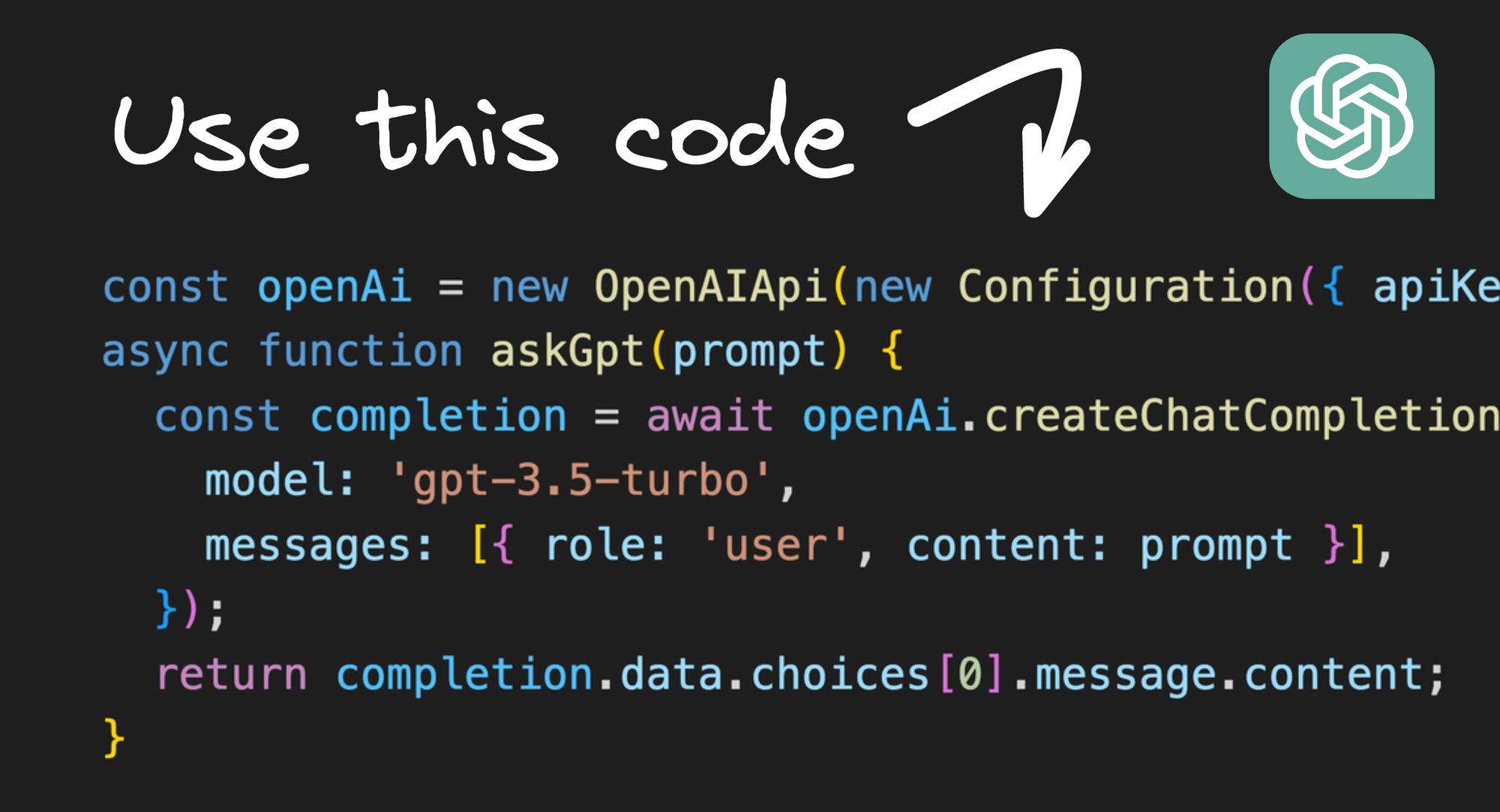
All we need is an OpenAI key and a little bit of code to send a prompt and get back a result:
Now you can start making incredible things with this.
Constructing prompt templates
The basic structure of doing commands with AI is asking users for input, constructing a prompt with that (plus any other information needed), and generating a result.
For example, to translate text, you could use something like this:
This works identical to ChatGPT, so using ChatGPT as a grounds to experiment is a great thing to do first.
For instance, you can go into ChatGPT and play with prompts to find what gives you good results, and when you find something repeatable move it into code.
Generating code
As you may have noticed, ChatGPT isn’t just great with plain words, but it can also work with code.
So, another app we could easily build is one that helps you learn or migrate to a new framework by translating one to another, for instance to convert React components to Svelte.
We can make such an app like this:
And as our output, we get:
And there we go!
Just create a dropdown picker for the source and generate frameworks, a text box for source and an output box, and you’ve made a pretty amazing app!
Examples
AI Shell
Turn human language into CLI commands, as implemented by the AI Shell open source project:
Throw that in a CLI interface and you get:
Notice that you don’t even need to know how to spell. 😄
Generate visually editable components from prompts
Since Builder.io is essentially a visual interface over React and packaged as a headless CMS, we can create prompts like this:
And now we can create fully editable web sections from natural language prompts:
Or we can even make full on interactive applications, like a jokes generator, that we can edit visually:
And all of these can be deployed to your existing sites and apps over APIs to save from tickets and deployments to launch new tests that could more easily be done headlessly via a visual headless CMS.
For instance, you can integrate the ability to visually generate content for your site or app that can be updated any time over an API with just the following code:
A similar technique can also be used to generate designs for Figma, like implemented in our Figma plugin, which are fully editable in Figma:
One cool part about this Figma integration we made is we stream the AI responses in real time, so you can see the AI "design" before your eyes. I hope to cover AI streaming in a future blog post.
Tweet at me if I forget and I'll get on it.
Generate visually editable sections and components
Earlier, we covered how LLM technology is not just limited to generating new things. It can also be used to edit things from natural language.
Since, in Builder, anything we create visually can turn into React code, and then be modified in AI, and then converted back to being visually editable, we can construct a prompt like below:
And then tada — you can just click whatever you want, say what you want to be different, and it’s done, like magic.
This even preserves all dynamic data and interactivity, and we still have an interactive app that on click can fetch and display new jokes from an API.
To make things even better, that entire jokes app was also generated by AI from a prompt, right inside Builder. Neat.
AI Agents
One of the most exciting areas of active research right now around LLMs is AI Agents.
This is the idea of what if we had AI generate actions that can be taken, the action is executed, then the result of the action is fed back into a new prompt, in a loop.
The above code is exactly how GPT Assistant works — an AI that can autonomously browse the web to attempt to accomplish tasks.
For instance, here it is opening a pull request to the Qwik repo when asked to update the REAMDE to add “steve is awesome”:
About Me
Hi! I’m Steve, CEO of Builder.io. I built all of these AI features that you see above, so if you think they are cool and want to follow other interesting stuff we make and write about, you may enjoy our newsletter.
Share