AI
Create a 3d scrolling animation with GSAP and Veo 3
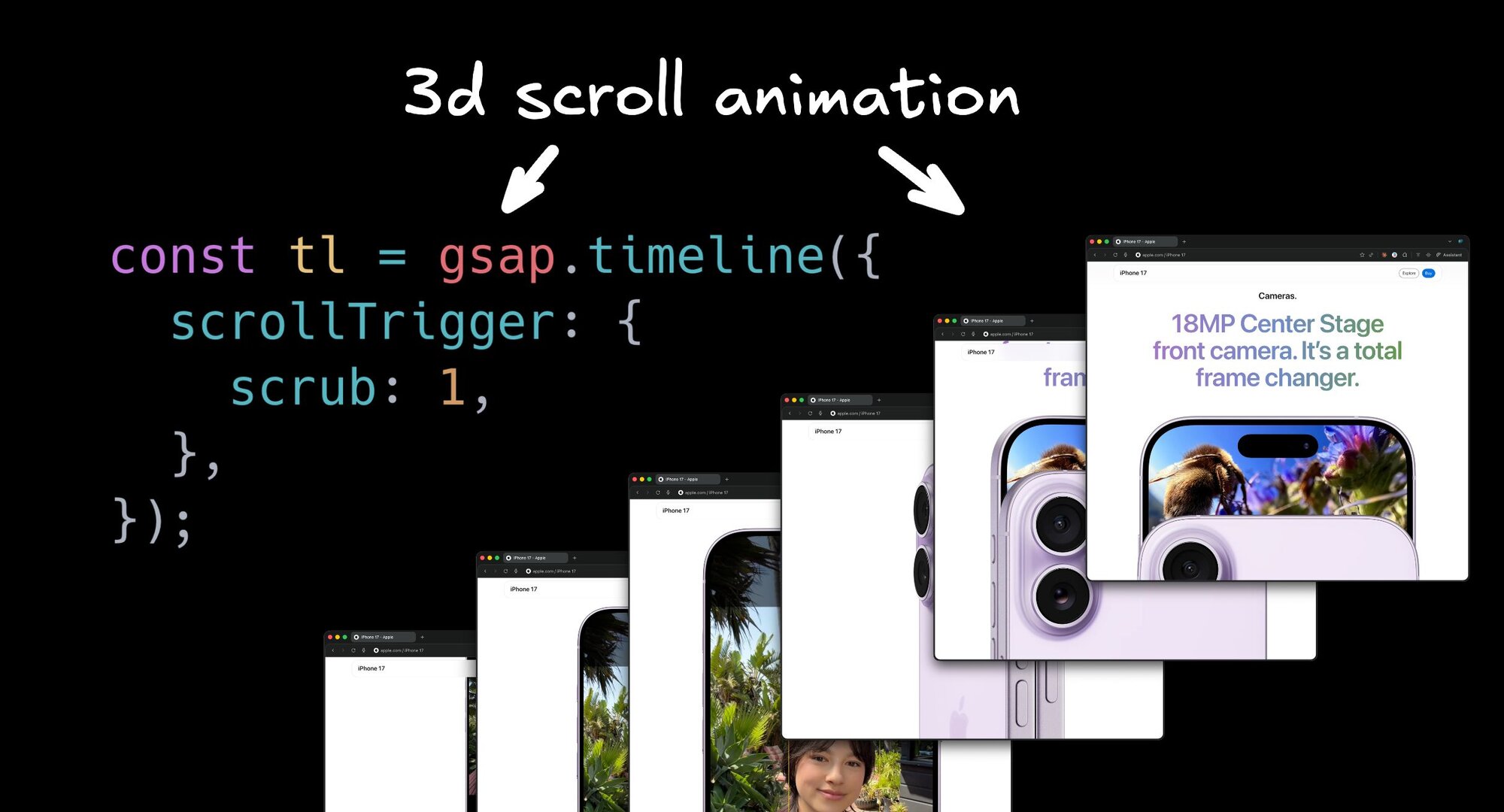


How does the Adaline website make this awesome 3D zooming effect when I scroll? It is using a funny trick that Apple uses all the time too.
Let me show you how I recreated this effect. We’ll cover the easy way (using AI to assist) and how to implement it from scratch in code as well. Then how to make infinite variations of it with Builder.io and Veo 3:
First we need a starting point
Going into 2026, I do not think you should waste time coding this scaffolding by hand. You are welcome to do it if you like, but if you want an easier way you can do like I did.
I used the Builder.io Chrome extension to pull in the layout and design for the production site to be my starting point:
The core trick
The dirty secret of these types of animations is they use use a sequence of images.

The effect is powered by GSAP plus ScrollTrigger and a numbered sequence that we render to a canvas. Looking at their site, they have a bunch of image urls numbered -001 to 280, so heres the prompt I used:
I fired that off and let the agent do its thing. The first pass got close but needed some refinement. Remember: just like working with a human, give feedback and iterate until things are the way you want.
If using Builder.io, you can use design mode for precision control too:
Once you get things looking good, we can move on to customizing
Generate your own sequence with Veo 3
Before I explain the code behind how this works, lets fill this with some custom content using Veo 3.
In the Gemini app choose “Create videos with Veo”. I find that Veo does better when I give it a visual reference, basically a storyboard.
Here is the image I fed Veo:

And the prompt:
Sometimes Veo gets confused and tries to recreate the storyboard literally. That is not what I want. Like everything with AI, iterate and give feedback.
After a little bit of iteration, I’m happy with what I got:
You’ll need to convert this to a url next. To do that I downloaded the video, then upload it to builder.io/upload, and grab the URL. Any other hosting service works here too.
Wire it up
To replace the current GSAP slides with a video, you need to make just one tweak.
We’ll need the site to extract the video into frames. In Builder.io you can just prompt it like
After a little iteration we have our new animation. Cool!
The code, step by step
Now, let’s explain the code. Here is the full shape first, with placeholder comments so you can see the structure.
Sticky canvas
First we need a sticky canvas in a big div so we can continue to scroll while our canvas stays “stuck” the top until our animation is done.
Preload the image sequence
We load every frame up front so scrubbing is smooth. Failed frames are ignored.
Call it and draw the first frame if available.
Draw a frame to the canvas
We set the canvas size to device pixels and cover the canvas while preserving aspect ratio.
Tie frame index to scroll with GSAP
We animate a plain number on an object and redraw on every update. scrub: 1 ties it to scroll position.
Practical tips so this feels premium
To make sure we really nail this, heres some best practices to follow:
- Place this lower on the page, not in the hero. You want time to preload the sequence so the first view is not a blank canvas that feels like a Flash era site that has to load first (yuck).
- Do not scroll jack. Let native scroll drive the scrub. Listen to scroll. Do not override it.
- Add a fallback for slower devices and small screens. Apple uses a static image for smaller screens and slower devices.
- Optimize assets. Compress JPEG or AVIF, serve from a CDN, and cache aggressively.
- Test on low end hardware. The scrubbing should stay smooth.
Wrap up
The parts are simple. A canvas, an image sequence, and scroll driven frames.
Or, make it easy on yourself, and try it out visually with Builder.io.
Share